What it does
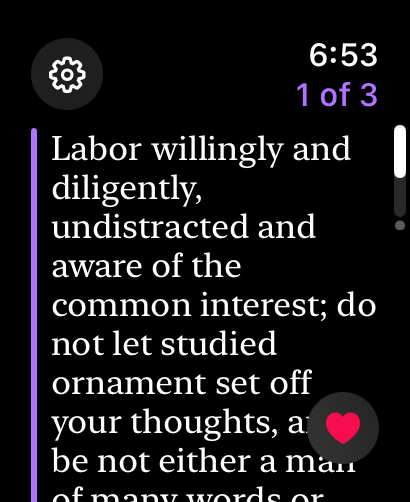
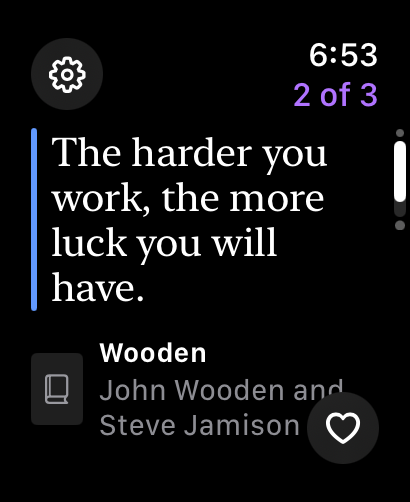
One highlight per page
Turn the Digital Crown or swipe through today's review. Short passages are set large, and long ones scroll.
Favorite with a tap
The heart saves the highlight as a favorite in Readwise. On Series 9, Ultra 2 and later, double-tap your fingers.
Pick up where you left off
Wristwise reopens on the first highlight you haven't read yet.
Yours or recommended
A violet bar marks your own reading, and a blue one marks Readwise's recommendations.
Streaks, and more to read
Finish the review to see your streak. Want more? Pull random highlights from your whole library.
Marked complete on Readwise
Sign in to Readwise once on your iPhone, and the reviews you finish on your wrist count there too.
Complications
See how much of today's review is left, or a preview of the next highlight, right on your watch face.
Ready in the morning
The new review is fetched early each day, so it's there when you raise your wrist.
Private by design
There are no servers or analytics. Your token stays in your device's keychain and goes only to Readwise.
Setup
- Install Wristwise on your iPhone. The watch app comes with it.
- In the iPhone app, tap Get your token from Readwise, copy your access token, paste it in, and tap Connect.
- Open Wristwise on your Apple Watch. Today's review is waiting.
- Optional: add the Wristwise complication to your watch face.
Want to look around first? Tap Try a Sample on the watch for a review made from public-domain classics.